¶ Financial Position
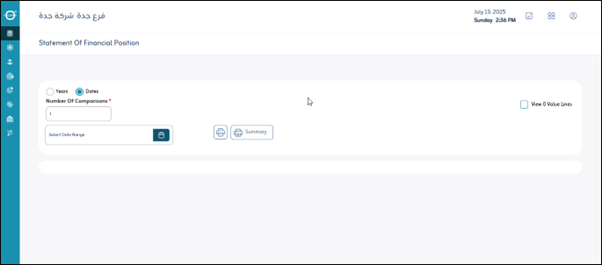
Usage: The Balance Sheet (also known as the Statement of Financial Position) screen is used to provide a snapshot of a company’s financial position at a specific point in time, showing assets, liabilities, and equity.
¶ Options
- Dates: Specifies the date the statement of financial position was prepared. This report serves as a “photograph” of the financial position on that specific date.
- Years: Allows you to select the fiscal years for which you want to display the statement of financial position data. This can be used for historical comparisons.
- Number of Comparisons (Years): Specifies the number of previous years for which you want to compare the statement of financial position with the current date. This helps analyze changes in the company’s financial structure.
- Display Lines with Zero Value: This option (usually a checkbox) allows you to include or exclude items with a value of zero from the report to make the report more focused or detailed.
- Print: Prints a copy of the displayed statement of financial position.