¶ Income Statement
Usage: The Income Statement (also known as the Profit and Loss Statement) screen is used to display a summary of revenues and expenses over a specific period of time, to determine the net profit or loss achieved.
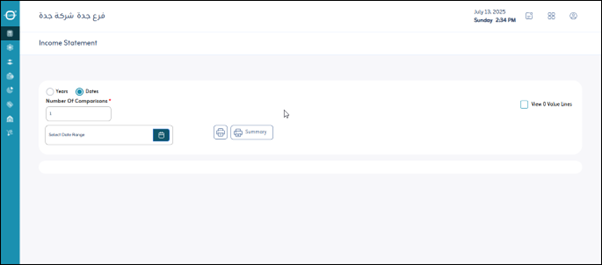
¶ Options
- Dates: Specifies the end date for the period for which you want to prepare the income statement (e.g., end of the first quarter, or end of a fiscal year).
- Years: Allows you to select the fiscal years for which you want to display income statement data. This is often used for comparisons across multiple years.
- Number of Comparisons (Years): Specifies the number of previous years for which you want to compare the income statement with the current period. This helps analyze financial trends.
- Display Lines with Zero Value: This option (usually a checkbox) allows you to include or exclude items with a value of zero from the report to make the list more focused or detailed.
- Print: Prints a copy of the displayed income statement.